
Youth and grassroots coaches
Get one match list instead of combining replies from players with messages from their parents.
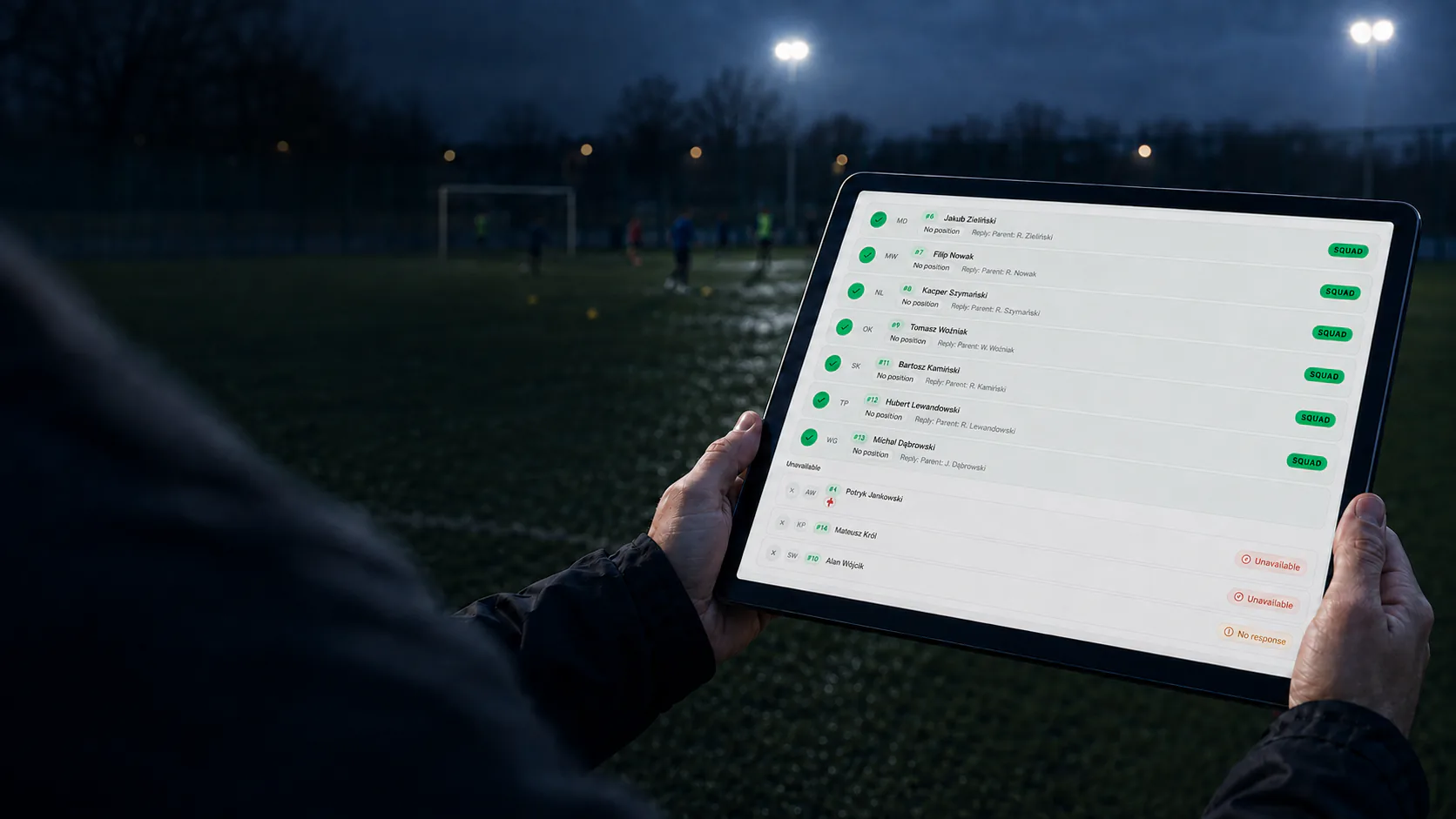
Before matchday
Players or parents respond against the match itself, while the coach sees every answer — and every missing answer — on one list. Once the response deadline passes, the squad can be selected without counting messages in a group chat.
A coach asks who can play on Saturday. Some players reply immediately, others several hours later, one parent sends a private message and somebody changes their answer that evening. The question is simple; keeping an accurate list is not.
The first round of replies is rarely the hard part. Time goes into checking changes, spotting the players who never answered and working out who needs a reminder. A handwritten list can be out of date before the coach has finished it.
In TrainTeam, the coach creates a match or tournament and sets a response deadline. A player or their linked parent marks the player as available or unavailable. The coach sees confirmations, declines, missing responses and players handled outside the app as separate groups.
This is a plan made before the event, not the attendance record. After the match, the coach separately records who was present, late or absent.
Every step belongs to the same event, so the coach never has to copy answers between a group chat, a note and the squad list.
Create a match or tournament, choose the team and set the time by which players should respond.
The right person confirms or declines without sending another message for the coach to process.
See available, unavailable, unanswered and offline players as distinct groups in one view.
Availability responses have their own status and deadline. When that deadline passes, the coach selects the squad from current information rather than the last remembered version of a conversation.
Add the date, place, team and deadline for availability responses.
Players and parents answer at the event: available or unavailable.
See confirmations, declines, missing answers and players handled offline.
After the deadline, select the squad from available players and notify those called up.
Create a team and see how one view turns match replies into a current list.
The difference is not another communication channel. It is the change from loose messages into responses attached to a match.
| Question in a group chat | Availability in TrainTeam |
|---|---|
| Replies appear between unrelated messages. | Each response belongs to a specific event. |
| The coach counts yes, no and private replies by hand. | Statuses are collected and summarised on one list. |
| It is easy to overlook somebody who stayed silent. | Players without an answer form a separate visible group. |
| A personal note may be outdated after a changed decision. | The current reply is visible against the match. |
The difference is greatest when a club collects responses regularly and from more than a handful of players.
Get one match list instead of combining replies from players with messages from their parents.
Use the same match availability routine across teams and age groups.
Collect dependable replies without introducing software designed around a professional back office.
A parent responds against the child's match, so the coach does not have to join information from several channels.
This page covers the availability decision only. The other stages have their own views and pages, keeping planned availability, squad decisions and actual attendance distinct.
They add the place and response deadline.
Players and parents submit their responses.
FAQ
The coach creates a match or tournament and sets a response deadline. Players or their linked parents respond in the event to say whether they are available. The coach sees all responses in one list.
Yes. A parent linked to the player’s profile can respond on their behalf in the event. Requests are sent according to the team’s contact settings and active accounts.
Yes. Missing responses have their own status, and players handled outside the app are shown separately. Silence is therefore not mistaken for a confirmation.
Yes. The availability list is the starting point for squad selection. You select players with confirmed availability for the published squad. An authorised coach can record responses for players handled outside the app.
It does not have to. A chat can remain useful for informal conversation, while match replies, dates and call-ups have a dedicated place. Important decisions no longer need to be reconstructed from messages.
Yes. Availability can be collected before tournaments and training sessions too. Squad selection and call-ups apply to matches and tournaments. The coach records actual attendance separately after each event.
Create a TrainTeam account, add your team and try the complete flow from event to availability and call-ups.